
A WordPress site needs regular care to stay secure, fast, and recoverable. The WordPress maintenance benefits fall into three groups: fewer hacks, faster pages, and lower repair bills. Skipped work accumulates until a plugin conflict, a hack, or an expired certificate takes your site offline.
Patchstack counted 11,334 new WordPress vulnerabilities in 2025, a 42% rise from 7,966 in 2024. This guide covers what maintenance includes, what you gain, what plans cost, and what to do when something breaks.
WordPress Maintenance Is the Routine Work Your Site Needs
WordPress maintenance is the routine work of updating, backing up, scanning, and testing your site. Core software, themes, and plugins need updates. Your database needs cleanup. Your forms, checkout, and SSL certificate need regular checks. The WordPress maintenance benefits below depend on how consistently you complete these tasks.
Most plans also cover uptime monitoring, user access reviews, broken link fixes, and PHP version checks. Maintenance differs from support and development. Support fixes one specific problem. Development builds new features. Maintenance prevents problems and keeps the site stable between those jobs.
Many providers sell tiers. Lower tiers cover weekly updates and monitoring. Middle tiers add speed work, malware removal, daily backups, and a staging site, which is a private test copy of your site. Top tiers add a dedicated support team and small design or code changes. Use maintenance mode, which shows visitors a notice page, only for serious fixes. Routine updates do not call for maintenance mode.
WordPress Maintenance Benefits Which Protect Your Revenue
Seven results justify the work. Each one ties to a task you control.
1. Close the Security Holes Attackers Already Know About
Security leads the WordPress maintenance benefits. Patchstack’s 2026 report found 91% of new vulnerabilities sit in plugins and 9% in themes. Attackers exploit known flaws in outdated plugins, so each skipped update leaves a published weakness open on your site.
Updates alone do not close every risk. Reports on the Patchstack data say about 46% of disclosed vulnerabilities had no patch on disclosure day. Add a firewall or a vulnerability monitoring service such as Patchstack or Wordfence to cover those cases. Audit your plugins every quarter. Check each plugin’s last update date, active installs, and whether the developer answers support requests. Delete unused plugins and replace abandoned ones.
Turn on two-factor authentication and limit login attempts. WP Kraken cites Wordfence blocking more than 159 billion credential stuffing attempts in 2022, which are attacks that try leaked logins on many sites.
2. Keep Pages Fast Before Visitors Leave
Speed ranks among the most visible WordPress maintenance benefits. Google data cited by Inovativ Hosting shows 53% of mobile visitors leave a page which takes longer than 3 seconds to load. Maintenance keeps pages quick through database cleanup, image compression, cache checks, and current PHP versions. Old post revisions, spam comments, and expired temporary data slow database queries.
Track three Core Web Vitals: Largest Contentful Paint, Interaction to Next Paint, and Cumulative Layout Shift. Interaction to Next Paint replaced First Input Delay in March 2024, so update any older checklist you use.
3. Stop Updates From Breaking Your Site
Plugins and themes break each other after updates. Test major updates on a staging site before you change the live one. Back up first. After each update, check your home page, contact form, search, and login. Update one plugin at a time when your site runs a store. Maintenance teams also keep a record of which plugin versions work together on your site, which shortens the fix when a conflict appears.
4. Recover in Minutes With Backups You Have Tested
Backups let you recover in minutes instead of rebuilding. Keep three copies, on two kinds of storage, with one outside your server. Veeam research cited by WP Kraken found 97% of ransomware attacks also target backup repositories, so a copy stored beside your site offers weak protection.
Daily backups suit active sites. Weekly backups suit quiet ones. Keep at least 30 days of backups, so you reach a version from before an infection. Run a full restore test every quarter, because an untested backup proves nothing. Take a fresh backup before every major update.
5. Protect the Rankings You Already Earned
Search engines favor sites which load fast, stay online, and show no broken pages. Downtime, 404 errors, slow pages, and hacked pages full of spam links all lower rankings. Maintenance removes these problems. Maintenance does not guarantee higher rankings, because content and backlinks still decide most results. The gain is protection. A hacked or slow site loses positions you already earned. Check Google Search Console monthly for crawl errors and security warnings.
6. Stop Losing Sales to Broken Forms and Slow Checkouts
Broken forms, failed checkouts, and scrambled mobile layouts push visitors away. Unbounce data cited by WP Kraken shows 45.4% of online shoppers are less likely to buy when a store loads slowly, and 36.8% say they will not return. Test contact forms, login pages, and payment gateways monthly. Stores need a test order after every update, including one payment through each gateway.
7. Maintenance Tasks Improve User Experience and Boost SEO
Regular WordPress maintenance forms the technical foundation for a seamless user experience (UX) and sustained search engine optimization (SEO) success.
By systematically optimizing database queries, minifying scripts, compressing assets, and configuring caching, maintenance accelerates page loading speeds and improves Google Core Web Vitals metrics like LCP, CLS, and INP.
Removing technical friction—such as broken contact forms, CAPTCHA errors, distorted mobile layouts, and slow checkouts—prevents costly visitor abandonment, where 53% of mobile users leave sites taking longer than three seconds to load.
Simultaneously, routine technical care directly boosts search engine visibility by resolving 404 errors, fixing broken links, updating SEO plugin configurations, and maintaining valid SSL certificates
8. Extend Your Site's Life and Delay Costly Rebuilds
Regular maintenance keeps your site compatible with new PHP versions, new browsers, and new plugin releases, which delays costly rebuilds. A site with an update log, a clean database, and tested backups also moves to a new developer or agency without surprises. Together, these WordPress maintenance benefits protect revenue, rankings, and customer trust. Each one depends on a task you schedule, which the sections below cover.
Warning Signs Your Site Needs Maintenance Today
Look for slow pages, forms which stop sending email, laggy admin screens, update notices left unanswered for months, browser security warnings, and visitor error reports. Check three places to confirm the problem: the Site Health screen for critical issues, Google Search Console for crawl and security alerts, and your host dashboard for resource limits. When any sign appears, schedule a full audit. Update everything on staging, scan for malware, verify your backups, and test every form.
DIY or Professional Maintenance and What Each Costs You
DIY works for a small site with few plugins and no sales. Plan 30 minutes each week and one hour each month. You need a staging site, a backup plugin such as UpdraftPlus, and a security plugin such as Wordfence or Sucuri. Tools such as ManageWP and MainWP run updates and backups for several sites from one dashboard. Hire help for stores, membership sites, sites with many plugins, and any site where an hour of downtime costs money.
Published prices as of October 2026 vary by scope. WP Fix It lists a care plan at $9 per month. The Web Factory offers monthly updates to hosting clients from $25. Belov Digital starts at $250 per month and includes direct Slack support. Lower tiers cover updates and backups. Higher tiers add monitoring, speed work, and fast human help. Compare scope before you compare price.
Both routes deliver the same WordPress maintenance benefits when someone completes the work on schedule. Choose the route you will keep up every month.

Protect Your Store and Membership Site With Stricter Checks
Stores and membership sites carry more risk because they handle payments and logins. Stores feel WordPress maintenance benefits directly in revenue. Back up the database more often, since new orders and sign-ups arrive between backups. Restore tests need to confirm orders and member accounts return intact.
After each update, place a test order, test a refund, and check order emails. Confirm payment gateways, tax rules, and shipping options still load. Review user roles every month and require two-factor authentication for every admin and shop manager account. Schedule updates for your quietest traffic hours, and finish a backup first.
Check Accessibility and Privacy Before Updates Create Problems
Accessibility and privacy checks add WordPress maintenance benefits which many guides leave out. Plugin and theme updates alter your front end and data handling. Run a quick accessibility check each quarter with a free tool such as WAVE, and fix missing image descriptions and low-contrast text. Confirm your cookie consent and privacy plugins still work after updates, because a broken consent banner exposes you to privacy complaints. Review which plugins collect visitor data and remove any you no longer use.
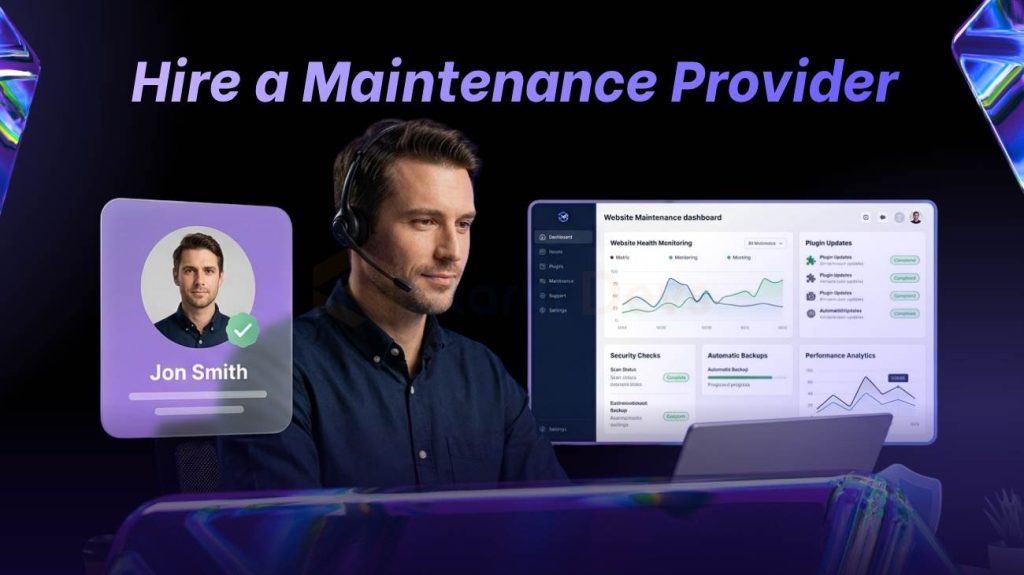
Hire a Maintenance Provider Only After You Get These Terms in Writing
A provider should deliver the WordPress maintenance benefits above on a fixed schedule, with reports. Ask for these terms in writing before you sign. Confirm what the plan includes and excludes, since bug fixes, new features, and content edits often cost extra. Get response times for urgent issues.
Ask where backups live and how long the provider keeps them. Confirm the team tests updates on staging. Request a sample monthly report. Require named admin accounts with two-factor authentication instead of a shared password. Check the exit terms, so you keep your backups and logins if you leave.
Then check reputation. Look at years in business, client reviews, and named client work. Avoid providers who show none.
Frequently Asked Questions
How often should you maintain a WordPress site?
Sometimes. Plugin conflicts cause most breakage. Back up first, test on staging, and check your home page, forms, and checkout afterwards.
What are the main WordPress maintenance benefits?
The main WordPress maintenance benefits are stronger security, faster pages, safe updates, reliable backups, better search visibility, more conversions, and lower repair costs.
How much does WordPress maintenance cost?
Published plans in October 2026 run from $9 to $250 per month, depending on scope.
What does a WordPress maintenance checklist include?
A checklist covers backups, core, theme, and plugin updates, security scans, uptime monitoring, database cleanup, speed tests, broken link checks, form and checkout tests, SSL and PHP checks, and a user account review.
Do updates break WordPress sites?
Sometimes. Plugin conflicts cause most breakage. Back up first, test on staging, and check your home page, forms, and checkout afterwards.
Does your host handle maintenance?
Not fully. Most hosts run the servers and offer backups. They do not test your plugins, review your user accounts, or check your forms.
StarlitDevs puts WordPress maintenance benefits at the center of its work: faster load times, tighter security, and fewer surprise breakdowns after launch.
Beyond upkeep, the team builds custom WordPress sites, themes, and plugins, creates WooCommerce stores, and optimizes site performance. Digital marketing fills out the rest: SEO, content writing, PPC, video production, and social media.
With 2,500+ projects and 850+ clients, including Fortune 1000 companies, they serve everyone from freelancers to enterprises.
Want a site that stays healthy? Contact Starlit Devs today.

Founding Starlit Devs has allowed us to extend our expertise globally, serving over 500 clients, including Fortune 1000 companies, with custom web development services. Our commitment to delivering exceptional design and development is coupled with a deep understanding of SEO, which has been pivotal in empowering businesses to achieve maximum online engagement and brand growth. At Starlit Devs, we take pride in our mission to provide websites that stand out in a competitive digital landscape and drive tangible results for our clients.
- Mahfuz M
