

Launching an online store is exciting — but it’s also the kind of thing that keeps you up at night wondering, “What did I forget?” Most store owners focus on the obvious: pick a platform, upload products, set up payments. Then they go live and discover the checkout is broken on mobile, emails aren’t sending, or Google can’t index half their pages.
That’s exactly why a solid ecommerce website checklist matters. Not just a list of obvious things, but a structured guide covering what to do before launch, on the day itself, and in the months that follow.
This guide breaks it into three clear phases — and it covers the angles most other checklists quietly skip: site speed benchmarks, accessibility, AI tools, and a post-launch review schedule.

Phase 1: Before You Launch
1. Business Foundation
Before you touch a single design template, get clear on your fundamentals. Start by defining exactly who you’re selling to — not just “people who like fitness” but a specific person with specific problems your product solves. Write your unique value proposition in one sentence. If you can’t do that yet, your store isn’t ready to launch.
Research three to five competitors. Note what they do well, where their experience falls short, and which gaps you can fill. Then set measurable goals for your first 30, 60, and 90 days. Vague goals like “get more sales” don’t help you make decisions. Specific ones do.
2. Platform, Hosting & Domain
Pick a platform that fits where you are now and where you want to be in two years. Shopify works well for most new stores. WooCommerce gives you more control if you’re comfortable with WordPress. BigCommerce suits stores with larger catalogues. Whatever you choose, confirm your hosting can handle traffic spikes — not just normal days.
Keep your domain short and brandable. A .com address is still the safest choice for building trust. Before you go live, set up a staging environment so you can test changes without ever touching your live store. A CDN (Content Delivery Network) is worth adding early — it routes visitors to the nearest server and noticeably speeds up load times. While shared hosting might suffice for smaller stores, growing enterprises often require VPS, dedicated, or cloud hosting to handle traffic spikes and ensure consistent performance.
3. Design & User Experience
A beautiful store means nothing if people can’t find what they need. Your homepage should communicate what you sell within five seconds of arrival. Navigation should be intuitive with no more than two or three levels deep. If someone has to click five times to find a product, they won’t.
Put trust signals above the fold — customer reviews, security badges, return guarantees. These aren’t decoration; they reduce hesitation. Also make sure your 404 page is branded and points people somewhere useful. A dead end page is a silent conversion killer.
4. Product Pages
Your product pages do the actual selling, so they deserve real attention. Use four to six high-quality images per product, shot from different angles with zoom enabled. Add a short video where possible — it significantly increases buyer confidence. Write descriptions that go beyond specs. Customers want to know what the product feels like, how it fits into their life, and why it’s worth buying.
Make sure pricing is visible, discounts are clearly shown, and variant selectors for size or color all work correctly. Enable customer reviews from day one — even a few early reviews make a measurable difference. Add schema markup for Google rich snippets so your products can show star ratings and pricing directly in search results.
5. Checkout & Payments
Around 70% of shoppers abandon their carts. Most of that abandonment is avoidable friction. Your e-commerce website checklist should treat checkout as its own dedicated project. Enable guest checkout — never force people to create an account before they can buy. Keep the process to three steps or fewer with a visible progress bar so shoppers always know where they are.
Offer multiple payment methods: credit and debit cards, PayPal, Apple Pay, Google Pay, and a Buy Now Pay Later option. Always show shipping costs before the final step. Hidden fees at checkout are the single biggest cause of cart abandonment. Test your discount codes with both valid and invalid entries, and confirm your payment gateway is in live mode — not test mode — before launch.
Implementing an SSL (Secure Sockets Layer) certificate is mandatory; it encrypts data between your site and your customers, turning an insecure “http” into “https”. This is not only a trust signal for users but also a ranking factor for search engines. Furthermore, your site must comply with PCI DSS (Payment Card Industry Data Security Standard) to legally accept credit card payments. This involves using tokenization and never storing raw card data on your own servers.
6. SEO Basics
Good SEO doesn’t require a specialist, but it does require attention. Every page needs a unique meta title and description. Use H1 tags on every page and structure your content with H2 and H3 subheadings. Add descriptive alt text to every image — this helps both Google and visually impaired users.
Create an XML sitemap and submit it to Google Search Console on launch day. Set canonical tags on any duplicate or variant pages to avoid splitting your rankings. Add schema markup for products, FAQs, and your organisation so Google has richer information to work with.
7. Core Web Vitals & Site Speed
Most ecommerce website checklists mention page speed in passing and move on. This one won’t. Google uses Core Web Vitals as a direct ranking signal, and the majority of stores fail these benchmarks at launch. Run Google PageSpeed Insights on your homepage, a category page, and a product page before you go live. You’re aiming for an LCP (page load time) under 2.5 seconds, an INP (responsiveness) under 200ms, and a CLS (visual stability) score below 0.1.
To get there: convert all images to WebP format and keep them under 150KB each. Enable lazy loading for images below the fold. Minify your CSS and JavaScript. Set up browser caching. Test desktop and mobile separately — they often perform very differently, and mobile is where most of your traffic will come from.
8. Accessibility — The Overlooked Legal Risk
Accessibility is almost entirely absent from most ecommerce website checklists, but in the US, the UK, and the EU, it carries real legal risk. More practically, accessible stores are easier to use for everyone — and Google rewards them for it.
The basics: ensure your colour contrast meets the WCAG 2.1 AA standard (a 4.5:1 ratio for body text). Make sure your site can be navigated entirely by keyboard. Test with a screen reader — Apple VoiceOver and the free NVDA tool are good starting points. Give every form field a visible label, not just placeholder text that disappears when someone starts typing. Run a free audit using the axe DevTools browser extension to catch the most common issues quickly.
9. AI Tools — The Gap Nobody Is Filling
Not one of the top-ranking e-commerce website checklist articles covers AI tools. That’s a missed opportunity, because these tools are affordable, practical, and available to stores of any size. Before you launch, install an AI chatbot for customer support — Tidio, Gorgias, and Intercom all have starter tiers. Enable AI-powered site search if your platform supports it; it dramatically improves product discovery.
Set up a product recommendation engine to handle upsells and cross-sells automatically. And add Microsoft Clarity — it’s a free session recording and heatmap tool that shows you exactly how real visitors interact with your site.
10. Email & SMS Automation — Before Day One
Most stores set up email flows weeks after launch and miss early revenue in the process. These automations should be live before your first visitor arrives. At minimum, you need:
- A welcome sequence of at least three emails for new subscribers
- An abandoned cart flow: emails at 1 hour, 24 hours, and 72 hours after abandonment
- A post-purchase thank you email
- A shipping confirmation with tracking link
- A review request email, triggered 7 days after delivery
These take a few hours to set up and will work quietly in the background from day one.
11. Legal Pages
You need a Privacy Policy that covers GDPR and CCPA, a clear Terms and Conditions page, and a Return and Refund Policy that’s easy to find — not buried in a footer. Add a cookie consent banner. If you’re selling to customers in multiple countries, confirm your VAT or GST obligations for each market before you launch, not after.
Phase 2: Launch Day
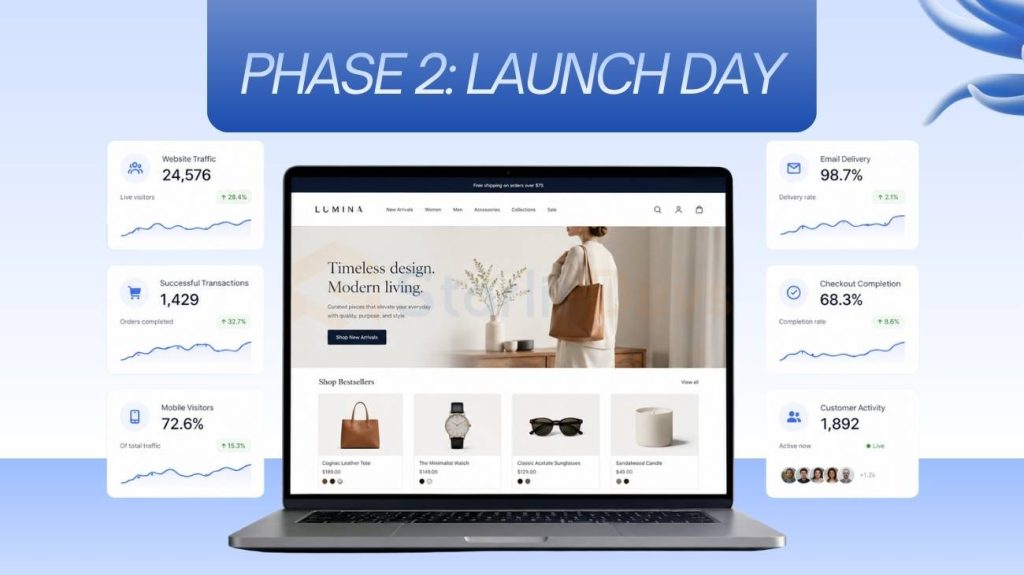
When the day arrives, run through this before you flip the switch. Remove all maintenance pages, confirm DNS has propagated, and place a real test order — then process a refund to confirm both directions work. Check every page on mobile and desktop. Verify all transactional emails are firing. Submit your sitemap to Google Search Console. Run a quick crawl with Screaming Frog to catch any broken links. Then tell your email list and social channels you’re open.

Phase 3: After Launch
12. Post-Purchase Experience
The sale isn’t the finish line — it’s the starting point of the customer relationship. Your order confirmation page should include either an upsell offer or a referral incentive. Make sure your returns portal is self-service and easy to find. Set up a customer win-back flow for shoppers who haven’t returned in 60 to 90 days. These post-purchase touchpoints are where lifetime value is built, and most stores ignore them completely.
13. Your 30 / 90 / 180-Day Review Schedule
A good e-commerce website checklist doesn’t end at launch. Treat it as a recurring audit.
At 30 days, review your bounce rate and top exit pages, check Core Web Vitals in Google Search Console, and look at your abandoned cart rate.
At 90 days, review keyword rankings, analyse which product pages are converting and which aren’t, and check your email automation metrics.
At 180 days, do a full SEO content audit, run a security scan, refresh your competitive analysis, and review your platform and plugin updates. The stores that grow are the ones that keep asking what needs fixing — not just at launch, but every quarter.
Final Thoughts
Most ecommerce stores don’t fail because of bad products. They fail because of a hundred small things that were never checked — a checkout that breaks on iPhone, emails that never send, a site too slow for Google to rank, or a post-purchase experience so forgettable customers never return.
This ecommerce website checklist is designed to close those gaps before they cost you. Work through it phase by phase, come back to it every 90 days, and treat it as a living document that grows with your store. The best stores aren’t built in a day — they’re built through consistent attention to the things everyone else skips.

Founding Starlit Devs has allowed us to extend our expertise globally, serving over 500 clients, including Fortune 1000 companies, with custom web development services. Our commitment to delivering exceptional design and development is coupled with a deep understanding of SEO, which has been pivotal in empowering businesses to achieve maximum online engagement and brand growth. At Starlit Devs, we take pride in our mission to provide websites that stand out in a competitive digital landscape and drive tangible results for our clients.
