

WordPress Maintenance Is the Routine Work Your Site Needs
1. Close the Security Holes Attackers Already Know About
A website redesign SEO checklist is a task list organized by project phase. Use the list to document your site before design starts, verify technical details during the build, and monitor results after launch. Each step protects the rankings, backlinks, and traffic your current site earned.
Most redesigns lose traffic for avoidable reasons. Teams delete pages without checking backlinks. Developers ship staging settings into production. Template rebuilds silently remove analytics tags. A 2024 Search Engine Journal study of 892 migrations, cited by agency Devenup, found the average new site needed 523 days to match the traffic of the site it replaced. 17% never did. Lost traffic costs you leads and sales, and recovery work costs more than prevention.
This website redesign SEO checklist walks through four phases. You also get items most guides skip, including rollback plans, hreflang, image URLs, and AI search visibility.

How Does A Website Redesign Affect SEO?
A redesign changes the signals search engines use to understand your site. URLs, internal links, copy, and page speed all get reevaluated after launch. Rankings move while Google recrawls your pages.
Some movement is normal. Shopify SEO strategist Greg Bernhardt reports that a traffic change of 0 to 20% in the first month is common. Use these figures as your alarm thresholds:
Traffic change of 0 to 20% in month one: Normal. Keep monitoring.
Traffic drop of 60% by day six: Investigate crawling, indexing, and rendering now.
More than 1% of URLs with redirect errors: Rebuild your URL mapping.
Write these thresholds into your project plan. Your team then agrees on what counts as an emergency before launch day arrives.

Website Redesign SEO Checklist Before Design Begins
Cover four things: goals, baseline data, content decisions, and URL structure. Finish all four before anyone draws a wireframe.
Set Goals And Bring SEO Into The Room
Write measurable goals into the project brief. Examples include organic traffic within an agreed tolerance, rankings held for priority keywords, and organic conversions maintained. Add SEO sign-off as a launch requirement, so no launch happens without approval.
Meet developers, designers, marketers, and project managers in week one. Explain which decisions carry SEO cost. Small choices matter. The number of links on a page or which text becomes an H2 instead of an H3 changes how search engines read your content.
Capture Your Baseline
Without data from before the project, you lose the ability to prove what a redesign changed. Export these items first:
- Organic traffic by page: Your benchmark for every later comparison.
- Keyword rankings for priority terms: Shows which terms moved.
- Search Console impressions and clicks: Separates lost visibility from lost clicks.
- Organic conversions: Confirms the redesign did not cost revenue.
- Total indexed pages: Catches silent deindexing after launch.
- Core Web Vitals scores: Shows whether performance improved.
- Backlinks by page: Identifies URLs you must protect.
Search Console keeps 16 months of data. Export the full history before launch, so you keep the seasonal patterns for year-over-year comparisons.
Then crawl your site with Screaming Frog or Sitebulb. Export every URL with its status code, title tag, meta description, H1, canonical tag, image alt text, word count, and internal links. Treat this file as your migration source of truth.
Audit Your Content And Decide Page By Page
Cross-reference Search Console with GA4 conversion data. Flag the 30 to 50 pages carrying the most risk if you change them. Then assign every URL one of four decisions:
- Keep: Pages with strong traffic and rankings.
- Improve: Outdated pages with strategic value.
- Merge: Overlapping pages competing for the same keyword.
- Remove: Pages with no SEO or business value.
Build a keyword map with one primary keyword and up to three secondary keywords per page. Blend the map with Search Console data in Looker Studio. When one of two similar pages ranks and the other does not, merge them with a 301 redirect.
Example: two posts target the same keyword. One ranks fourth and the other ranks thirty first. Merge the weaker post into the stronger post and redirect the old URL.
Protect your copy. Redesign teams often replace detailed text with vague marketing language. Pages then lose the secondary keywords they ranked for. Compare the keywords and questions each page covers before and after every rewrite.
Lock Your Architecture And URLs
Decide URLs before wireframing starts. A change in the middle of the project ripples into navigation, sitemaps, redirect maps, and internal links.
Keep important pages close to the homepage. A page two clicks from the homepage on your old site and five clicks deep on the new site tells crawlers you demoted the page. Limit your main navigation to five or six items. Set rules for pagination, filtered URLs, and URL parameters, and assign each a canonical tag.
Stage your changes on top pages. Change layout in one release, content in the next, and URLs last. Search engines read small changes more easily than three at once.

Website Redesign SEO Checklist to Verify During Build
Run every technical check on the staging site before the client reviews the build. Errors found here cost hours. Errors found after launch cost rankings.
Build The Redirect Map
Redirect errors cause most drops after launch. Follow these rules:
Match each old URL to its closest new equivalent. Sending every URL to the homepage tells Google the content no longer exists. Good mapping sends /services/website-seo-old to /services/website-seo-new.
Use 301 redirects for permanent moves. A 302 tells Google the move is temporary.
Cover every URL with links or rankings. Include pagination, category archives, tag pages, PDFs, and media files.
Point each redirect to the final destination in one hop. Run the redirect chain report in Screaming Frog to find A to B to C paths.
Have your SEO lead and a developer review the map together before launch.
Update your internal links to final URLs. Redirects serve outside links and bookmarks. Your own links should point straight at the new pages.
Keep redirects live for at least a year, which matches Google’s site move guidance. Use spreadsheet formulas for large maps, and map pages with backlinks first.
Block Staging And Migrate On-Page Elements
Disallow all crawlers in the staging robots.txt file and add password protection. Confirm no staging domain appears in Search Console. Password protection matters most when you share preview links widely, because robots.txt asks crawlers to stay out but does not enforce the request.
Migrate title tags, meta descriptions, H1s, alt text, canonical tags, and schema markup on every page. Spot check at least 10% by hand. Crawl staging to find orphan pages and broken links. Validate structured data with Google’s Rich Results Test.
Test Speed, Mobile, And Rendering
Google rates Largest Contentful Paint under 2.5 seconds, Interaction to Next Paint under 200 milliseconds, and Cumulative Layout Shift under 0.1 as good. Test staging with PageSpeed Insights. Lab scores differ from field data, and Google reports field data over a 28-day window. Expect a delay before real user numbers move.
Third-party scripts and animations cause most speed regressions. Test them first. Over half of web traffic comes from mobile devices, so check layouts and touch targets on a phone.
Test JavaScript rendering too. Use the URL Inspection live test to confirm Googlebot sees your main content and links. Add an accessibility check while you test, because usability problems hurt rankings and conversions together.
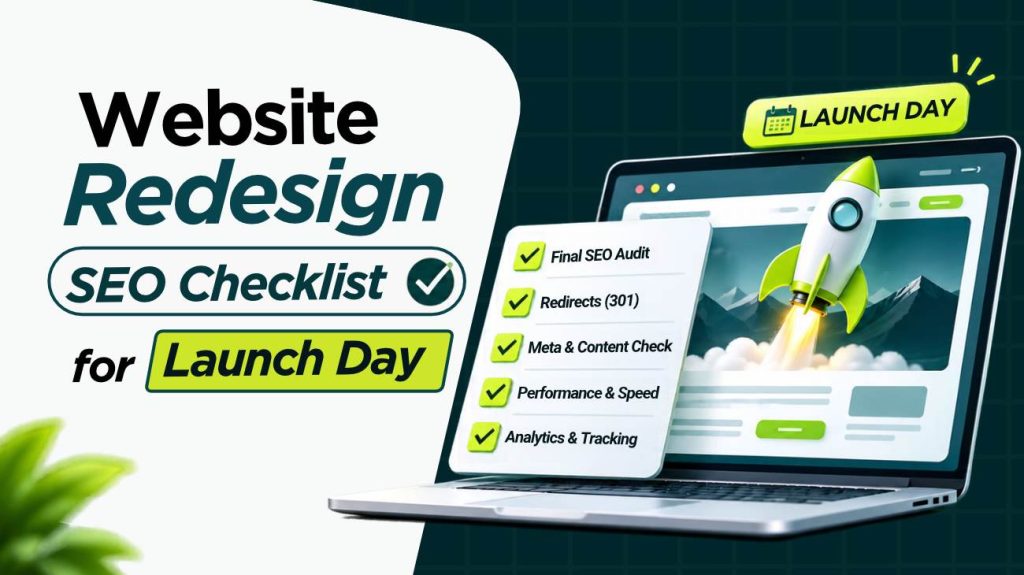
Website Redesign SEO Checklist for Launch Day
Launch day needs an approval gate and a rollback plan. Most guides give you neither.
Set A Launch Approval Gate And A Rollback Plan
Write pass criteria before launch. Examples: zero noindex tags on production templates, redirects tested, tracking firing, robots.txt correct. Name one person with authority to stop the launch.
Write a rollback plan as well. List the failures triggering a rollback, who restores the old site and redirects, and how long the restore takes.
Choose your timing with care. Avoid peak sales periods. Freeze content changes for two weeks before and after launch so your before-and-after comparison stays clean.
Verify Production
Run these checks in the hours before launch, not the day after. Open the production robots.txt in a browser and read the file. Remove staging disallow rules. Confirm the file does not block CSS, JavaScript, or images. Crawl the live site right after launch and filter for noindex tags.
Submit an XML sitemap containing only indexable URLs returning a 200 status. Confirm GA4, Tag Manager, conversion events, form tracking, UTM parameters, and CRM integrations fire correctly. Add a GA4 annotation for the launch date.
What Should You Monitor After Launch?
Monitor on a fixed schedule. Issues found in week one cost far less to fix than issues found in week six.
- Hours 0 to 24: Crawl the live site and filter for noindex tags, 404s, and redirect chains.
- Days 1 to 7: Check Search Console daily. Fix critical errors within 48 hours, starting with 404s on pages with backlinks.
- Weeks 2 to 4: Compare your indexed page count against the baseline. Submit priority pages for indexing if they have not appeared after 14 days.
- Days 30, 60, and 90: Compare traffic, impressions, and rankings against your Phase 1 numbers. Diagnose drops page by page instead of treating them as one problem.
Review your server logs as well. Logs show whether Googlebot still requests old URLs, follows redirect chains, or wastes visits on errors.
If your domain changed, file a Change of Address in Search Console and verify every new protocol and subdomain as its own property.
Which Items Do Most Website Redesign SEO Checklists Skip?
Four items rarely appear in competing guides, and each protects traffic you already have.
Hreflang: If you serve several languages or countries, carry over every hreflang tag with its return links. Broken pairs send visitors to the wrong version.
Image URLs: Redirect image files when paths or file names change. Skipping this ends your image search traffic.
Backlink reclamation: Email the owners of your top 20 referring pages and ask them to link to the new URLs. A redirect keeps the link working. A direct link removes a hop and protects you if a redirect breaks later.
AI search baseline: Before launch, search 20 to 30 of your key questions in Google AI Overviews, ChatGPT, and Perplexity. Record which of your pages get cited. Keep those passages, headings, and schema intact in the redesign. Recheck citations at day 30.
How Long Does Traffic Take To Recover?
Shopify says the assessment period runs up to six months. Devenup’s cited study puts the average at 523 days. Expect the shorter timeline when your URLs stay stable. Expect the longer timeline when domain, platform, and structure all change at once. Set the expectation with stakeholders in writing before launch. Track recovery against your baseline, not against last month, because seasonal swings hide real losses.

Website Redesign SEO Checklist FAQs
What is a website redesign SEO checklist?
A website redesign SEO checklist is a phase-by-phase list of SEO tasks. The list covers baseline data, content decisions, redirects, staging controls, launch checks, and monitoring. Its purpose is to keep your existing rankings and traffic while the design changes.
How much traffic loss is normal after a redesign?
A change of 0 to 20% in the first month is common. A drop near 60% in the first week signals a crawling, indexing, or redirect problem. Investigate immediately.
What is the biggest redesign SEO mistake?
Missing or wrong redirects cause the most damage. Staging settings left on the production site come second.
When should you involve SEO in a redesign?
Involve SEO before wireframes. URL structure, navigation, and content decisions made without SEO input create the most expensive fixes later.
How long should you keep 301 redirects?
Keep them for at least one year. Keep them longer for URLs with strong backlinks.
Should you change URLs during a redesign?
Change URLs only for a clear business reason. Pair every change with a complete one-to-one redirect map. Pages already ranking well need no new URLs.

Founding Starlit Devs has allowed us to extend our expertise globally, serving over 500 clients, including Fortune 1000 companies, with custom web development services. Our commitment to delivering exceptional design and development is coupled with a deep understanding of SEO, which has been pivotal in empowering businesses to achieve maximum online engagement and brand growth. At Starlit Devs, we take pride in our mission to provide websites that stand out in a competitive digital landscape and drive tangible results for our clients.
- Mahfuz M
